Google Calendar does not send SMS reminders natively — a third-party tool is required for any text-based client communication.
Of the tools compared here, each serves a distinct primary use case. SMS Reminder is built specifically for Google Calendar users who want automated SMS reminders — with two-way texting, so clients can reply to confirm, cancel, or ask to reschedule — without changing how they schedule. GoReminders suits businesses that want to manage appointments and reminders inside a single dedicated tool. GReminders is the strongest option for professional services firms that need CRM integration, compliance features, and a full meeting management workflow. Acuity Scheduling fits businesses that need a complete scheduling platform with intake forms and payments. Calendly is best evaluated as a meeting scheduling tool first, with reminders as a supporting feature. Apptoto suits teams that want multi-channel reminders across several calendars, and YouCanBookMe fits booking-first teams that want SMS reminders alongside a scheduling page.
For most small businesses and solo service providers already using Google Calendar, the simplest path to fewer no-shows is a lightweight reminder tool that works with the calendar you already use, rather than one that replaces it.
Quick comparison of appointment reminder apps
| Tool | Google Calendar | SMS | Booking | Setup | Best for |
|---|---|---|---|---|---|
| SMS Reminder | Native | Yes · two-way | Yes | Very easy | Small businesses, service providers |
| GoReminders | Outbound sync | Yes | Yes | Moderate | General reminder and booking needs |
| GReminders | Native | Yes | Yes | Moderate | Professional services, financial advisors |
| Acuity Scheduling | Two-way sync | Standard plan+ | Yes | Complex | Advanced scheduling workflows |
| Calendly | Two-way sync | Paid plans | Yes | Easy | Meeting and client scheduling |
| Apptoto | Native (two-way) | Yes | Yes | Moderate | Multi-channel reminders (SMS, email, voice) |
| YouCanBookMe | Two-way sync | Paid plans | Yes | Easy | Booking-first teams wanting SMS reminders |
In the SMS column, “two-way” means clients can reply to the text itself to confirm, cancel, or ask to reschedule — distinct from “two-way sync” in the Google Calendar column, which refers to calendar events syncing in both directions.
Best for Google Calendar users: SMS Reminder
SMS Reminder is purpose-built for Google Calendar users who want automated SMS reminders without adopting a new scheduling platform.
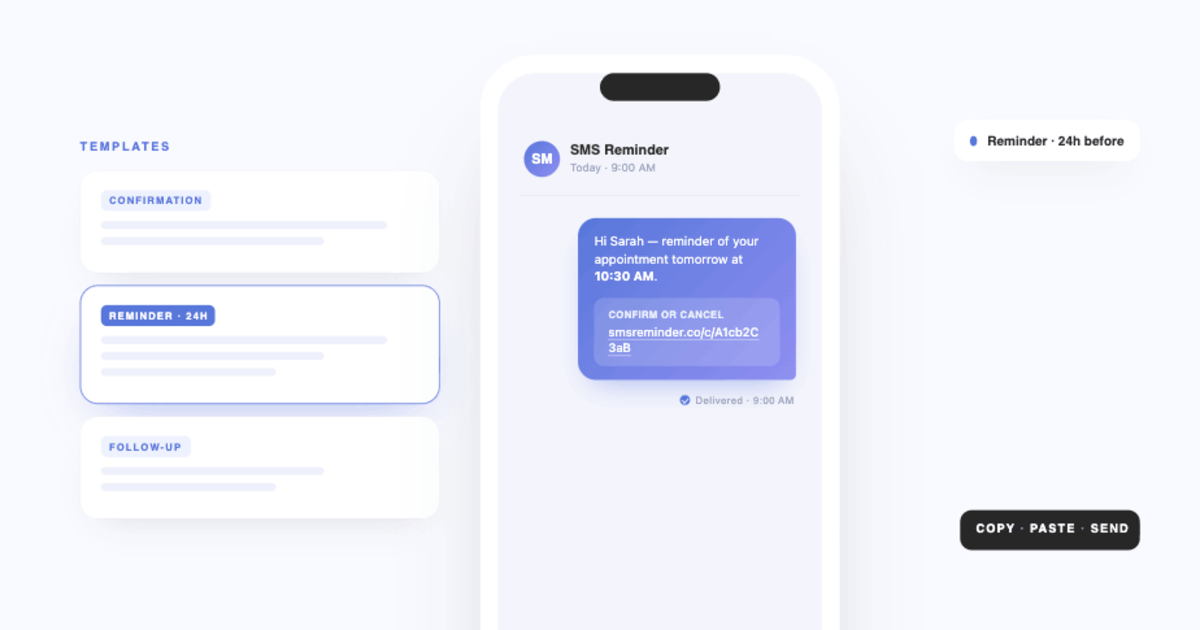
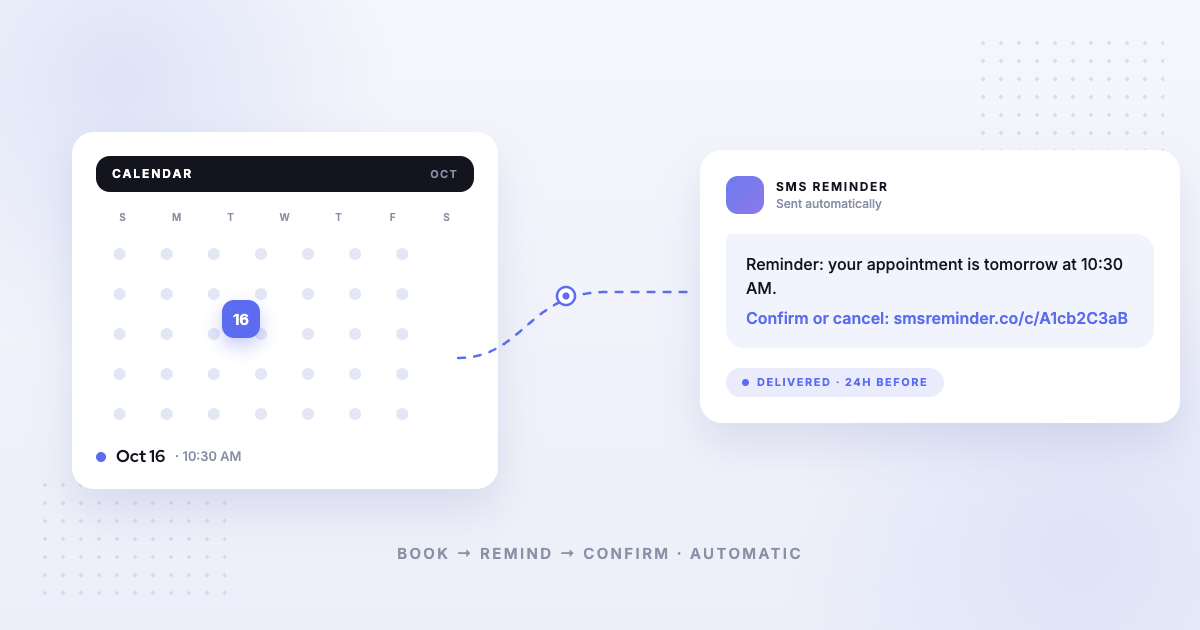
It connects to your existing Google Calendar via OAuth, detects upcoming events automatically, and sends reminders at your configured lead times. Clients can reply to those texts to confirm, cancel, or ask to reschedule — two-way texting the app handles automatically — or tap a confirmation link. There is no new system to learn and no calendar migration required.
Key features:
- Native Google Calendar integration, with events detected automatically
- Automated SMS reminders with customisable message templates
- Confirmation links in each message so clients can confirm or cancel with a tap
- Two-way texting — clients can also just reply (“Yes”, “Can we do Friday?”) to confirm, cancel, or ask to reschedule, and the app responds automatically in six languages
- Built-in booking page for client self-scheduling
- 25-reminder allowance to test before committing to a paid plan
Best for: Small businesses, solo practitioners, clinics, salons, therapists, field and mobile service providers who want to reduce no-shows quickly using their existing Google Calendar.
GoReminders
GoReminders is an SMS reminder and booking tool designed for small to medium-sized businesses. It includes both automated reminders and a client-facing booking page with instant book and appointment request modes.
Strengths:
- SMS and email reminders with customisable templates
- Online booking page, where clients can self-book or request appointment times for approval
- Accepts deposits and payments directly through the platform
- Supports group appointments and multiple staff calendars
Limitations:
- Google Calendar integration is outbound — GoReminders pushes appointments to Google Calendar, but appointments created directly in Google Calendar do not automatically trigger reminders in GoReminders
- No permanent free tier; 14-day free trial available, no credit card required
Best for: Businesses that want an all-in-one reminder and booking tool and are willing to manage appointments primarily within GoReminders rather than Google Calendar.
GReminders
GReminders is a full meeting management platform with native Google Calendar and Outlook integration. It handles automated SMS, email, and voice reminders, online booking, and CRM workflows. It markets itself specifically to financial advisors and professional services firms, though it serves a range of appointment-based businesses.
Strengths:
- Native two-way Google Calendar and Outlook integration
- SMS, email, and voice call reminders
- Full booking page with client self-scheduling
- CRM integrations (Salesforce, HubSpot, Redtail, and others)
- HIPAA and FINRA compliant options available
- AI meeting notetaker available as a paid add-on
Limitations:
- More feature-rich than most small businesses need for basic reminder use
- Setup is more involved than lightweight tools
- Pricing and plan structure is more complex
Best for: Financial advisors, professional services firms, and teams that need deep CRM integration and compliance features alongside reminders.
Acuity Scheduling
Acuity Scheduling (owned by Squarespace) is a full scheduling platform with built-in client booking, intake forms, payment processing, and automated reminders. It syncs two-ways with Google Calendar, meaning bookings made in Acuity appear in Google Calendar and vice versa.
Strengths:
- Robust client-facing booking experience with intake forms and payments
- Two-way Google Calendar sync
- Email reminders on all plans; SMS reminders on Standard plan and above
- Suitable for businesses with complex service menus or multi-staff calendars
Limitations:
- SMS reminders are not available on the entry-level Starter plan ($16/month annual, $20/month monthly)
- No permanent free tier; 7-day trial available, no credit card required (14 days if added to a Squarespace site)
- Acuity functions as its own scheduling system; if you want to continue managing appointments in Google Calendar, it adds workflow complexity
Best for: Service businesses that need a full scheduling and client management platform and do not mind replacing Google Calendar as their primary scheduling interface.
Calendly
Calendly is a meeting scheduling platform with automated email and SMS reminders built into its paid plans. SMS reminders are available on all paid tiers (Standard, Teams, and Enterprise) via Calendly’s Workflows feature, powered by Twilio. Messages are sent from a randomly assigned US number; client replies are not monitored.
Strengths:
- Polished, widely recognised booking experience for clients
- SMS and email reminders included on all paid plans (no add-on required)
- Strong Google Calendar integration
- 250 SMS credits per seat per month on non-Enterprise plans
Limitations:
- SMS not available during free trial or on the free plan
- Messages sent from random numbers, not a consistent business number
- Client replies to SMS reminders are not received or monitored
- Primarily designed for meeting scheduling, not appointment-based no-show reduction
Best for: Professionals and teams whose primary need is client-facing meeting scheduling and who want reminders as a secondary feature.
Apptoto
Apptoto is an appointment reminder platform with native, two-way Google Calendar integration. It reads events directly from your calendar and sends automated SMS, email, and voice reminders across one or more calendars.
Strengths:
- Native two-way Google Calendar sync
- SMS, email, and voice reminders in one platform
- Customisable message templates and multi-calendar support
- Reporting and reminder tracking
Limitations:
- A fuller reminder platform than a single-purpose SMS tool, so there is more to configure at setup
- Pricing scales with message volume
Best for: Businesses that want multi-channel reminders — text, email, and voice — across several calendars.
YouCanBookMe
YouCanBookMe is a scheduling and booking tool that syncs two-ways with Google Calendar and can send SMS reminders on its paid plans. Its core strength is a customisable client-facing booking page.
Strengths:
- Two-way Google Calendar sync
- Customisable client booking pages
- SMS reminders on paid tiers
Limitations:
- Primarily a booking and scheduling tool; SMS reminders are a supporting feature rather than the core focus
- SMS reminders are not included on the free tier
Best for: Teams whose main need is a client booking page, with SMS reminders as an add-on.
Which tool is right for you?
- Choose SMS Reminder if you manage appointments in Google Calendar and want the simplest path to automated SMS reminders without changing your workflow
- Choose GoReminders if you want a combined reminder and booking tool and are comfortable managing appointments inside GoReminders rather than Google Calendar
- Choose GReminders if you need deep CRM integration, compliance features, or an end-to-end meeting management platform for professional services
- Choose Acuity Scheduling if you need a full scheduling platform with intake forms, payments, and multi-staff support
- Choose Calendly if meeting scheduling is your primary need and reminders are secondary
- Choose Apptoto if you want multi-channel reminders — SMS, email, and voice — across several calendars
- Choose YouCanBookMe if a client booking page is your main need and you want SMS reminders alongside it
What to look for in an appointment reminder app
The most important factor is how deeply the tool integrates with your existing calendar. There is a meaningful difference between native integration, where the tool reads directly from your calendar and triggers reminders automatically, and outbound sync, where the tool pushes data to your calendar but does not read from it.
Beyond integration depth:
- Automated reminders that fire without manual action for every new event
- Customisable message templates with dynamic fields (name, date, time, location)
- Confirmation support, so clients can confirm or cancel before the appointment — ideally by simply replying to the text (two-way), not only by tapping a link or calling back
- Setup time that matches your technical comfort level
- Pricing that scales reasonably with your appointment volume
If you are weighing full platforms rather than Google Calendar tools specifically, our buyer’s guide to appointment reminder software sorts the options by business type instead.
Feature, plan, and pricing details for the tools compared here can change — verify on each provider’s own site for the most up-to-date information before deciding.
Frequently asked questions
Does Google Calendar send SMS reminders to clients?
No. Google Calendar can notify you via email or push notification, but it cannot send text messages to clients. A third-party tool is required to add SMS reminders to Google Calendar.
How quickly can I start sending reminders with SMS Reminder?
Most users complete setup in under 10 minutes. You connect your Google Calendar via OAuth, set your message template and reminder timing once, and SMS Reminder sends automatically for all upcoming events from that point forward.
Does SMS Reminder have a free plan?
SMS Reminder includes a 25-reminder allowance, which lets you test the product before committing to a paid plan. It is not an unlimited ongoing free tier.
Does GoReminders have a free option?
GoReminders offers a 14-day free trial with no credit card required. There is no permanent free tier.
How is SMS Reminder different from GReminders?
Both integrate with Google Calendar. GReminders is a fuller platform; it includes CRM integrations, voice reminders, AI notetaking, and compliance features suited to professional services firms. SMS Reminder is more focused: it adds SMS reminders and a booking page to your existing Google Calendar with minimal setup, and does not require a broader workflow change.
How is SMS Reminder different from GoReminders?
The key difference is how each tool relates to Google Calendar. SMS Reminder reads directly from your Google Calendar and triggers reminders from events you create there. GoReminders syncs appointments outbound to Google Calendar, but reminders are triggered by appointments entered or booked within GoReminders. If Google Calendar is your primary scheduling tool, SMS Reminder fits that workflow more directly.
Can clients reply to SMS Reminder’s texts?
Yes. With two-way texting, clients can reply in plain language — “Yes”, “OK”, or “Can we move to Friday?” — to confirm, cancel, or ask to reschedule, and SMS Reminder responds automatically (in English, French, Spanish, Italian, Portuguese, and German). They can also confirm or cancel by tapping the link in the message. When comparing tools, it’s worth checking whether clients can reply at all, or only receive one-way texts.
What happens if a client does not respond to a confirmation link?
A non-response leaves the appointment status as ‘Pending’ on your calendar. SMS Reminder does not automatically cancel unconfirmed appointments. You can configure a follow-up reminder to resend if no confirmation is received.