Install & Set Up SMS Reminders for Google Calendar

Send automated SMS reminders, reduce no-shows, and let clients book appointments directly into your calendar — all in minutes.

  • Reduce appointment no-shows with automated SMS reminders
  • Let clients self-book and sync appointments directly to your calendar
  • Works with any Google Workspace account — set up in minutes
Connect my calendar
A calendar and a text message reminder from SMS Reminder

Get Started in Minutes

  1. Install the SMS Reminder Google Calendar add-on
  2. Create your reminder message templates
  3. SMS reminders will be sent automatically
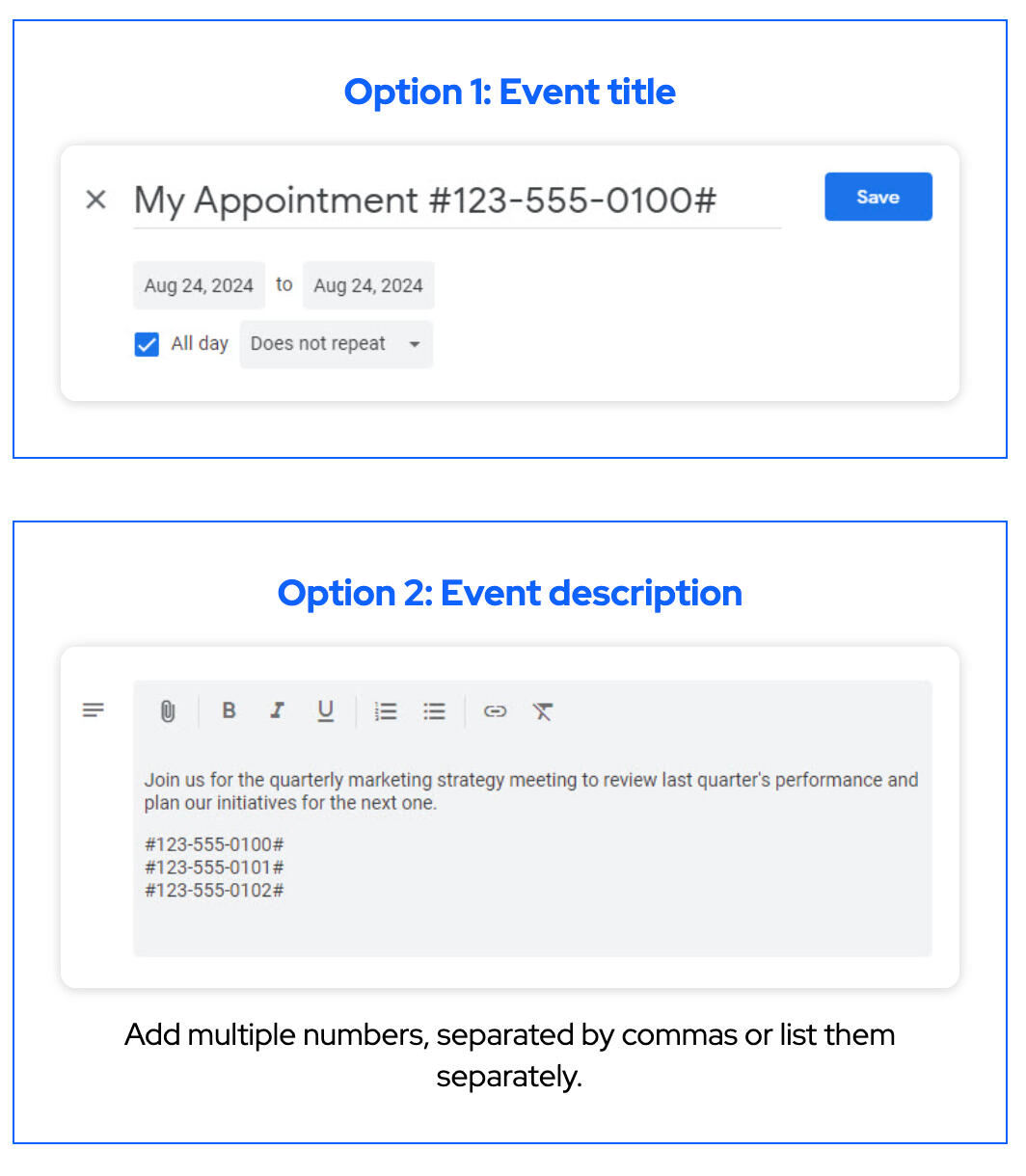
  4. Add a client’s phone number to your calendar event
A timeline of installation steps for SMS Reminder
💡 Optional: Share your booking page so clients can book themselves

Three Ways to Send SMS Reminders

Google Calendar logo

Google Calendar Add-on

  • Add reminders directly inside your calendar events
  • Best for day-to-day scheduling
SMS Reminder Google Calendar Add-on
SMS reminder logo

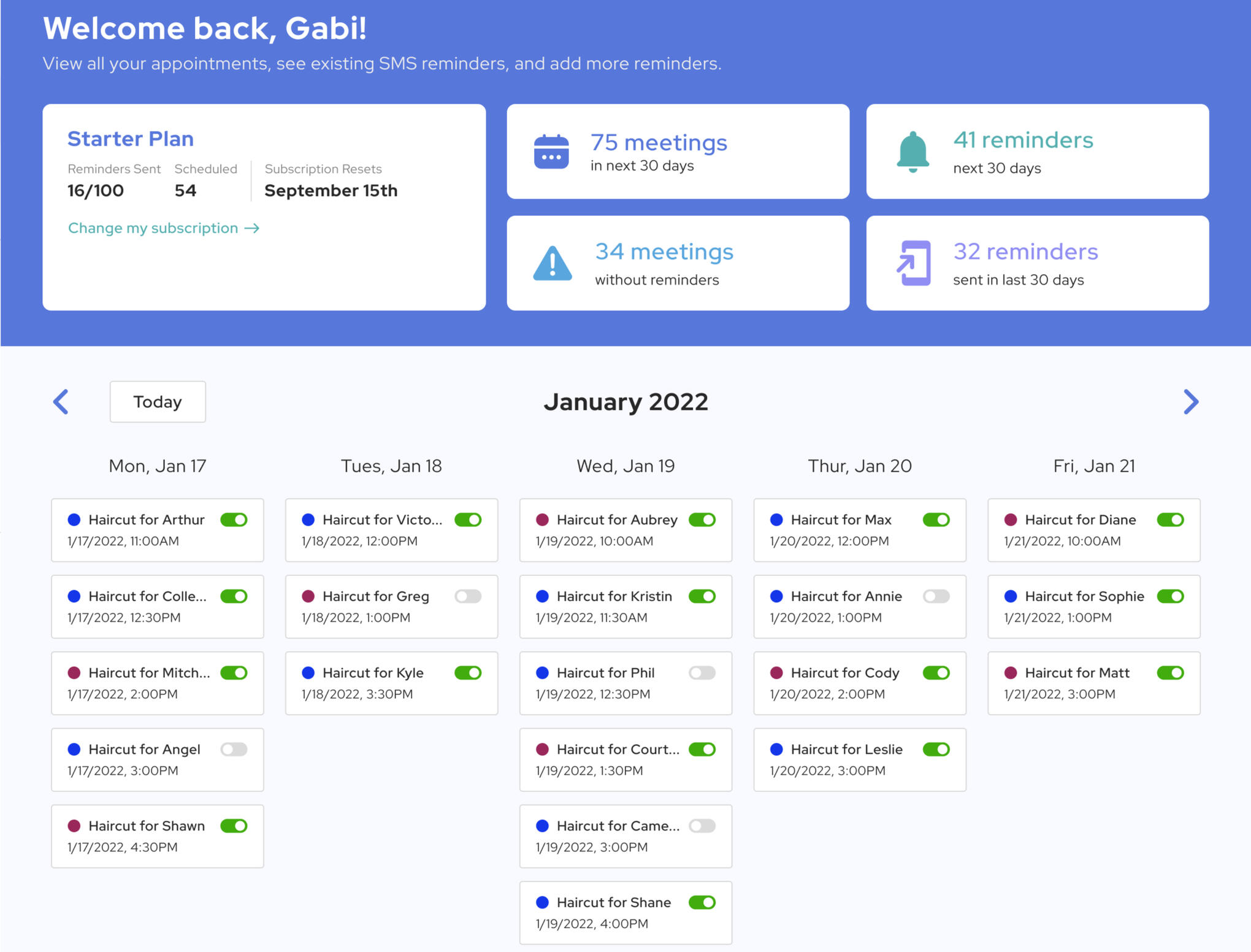
Web App Dashboard

  • Manage reminders across multiple calendars
  • Ideal for teams or higher volume
SMS Reminder Web application dashboard
calendar logo

Any Calendar Workflow

  • Works with any system that syncs with Google Calendar
  • Set reminders from your mobile
Google Calendar Event example

Let Clients Book Appointments Automatically

SMS Reminder includes a built-in booking page that allows customers to schedule appointments directly into your calendar — with reminders automatically applied.
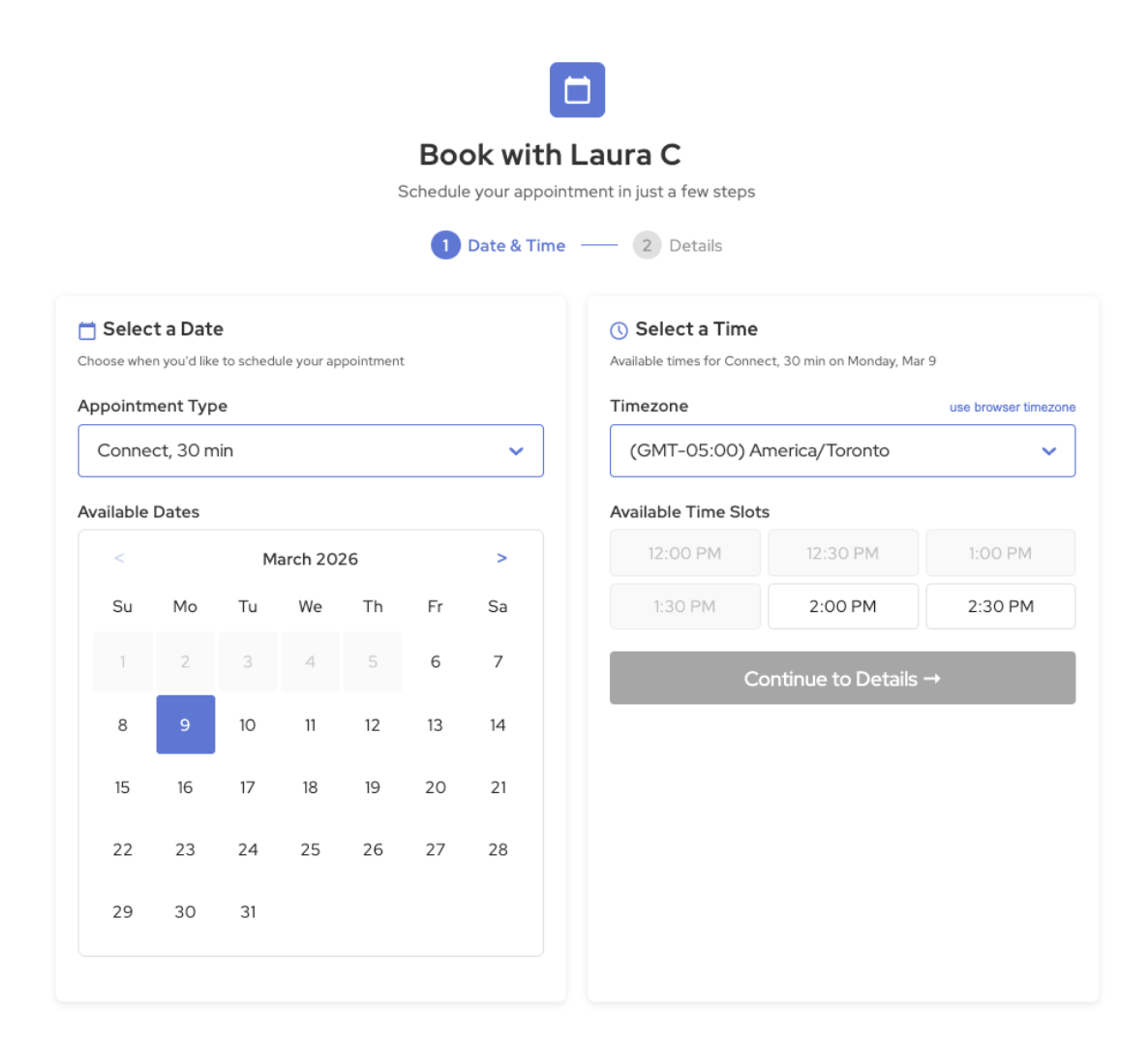
  • Share your booking link with clients
  • Add a “Book Now” button to your website
  • Customize availability, buffers, and appointment types
  • Automatically send confirmations and reminders
SET UP MY BOOKING PAGE
SMS Reminder custom booking page

Use SMS Reminder for Business or Personal Scheduling

Briefcase

Business

  • Reduce no-shows
  • Automate confirmations
  • Manage multiple calendars
Cell phone

Personal

  • Never miss appointments
  • Stay organized
  • Get reminders on your phone

Key Features

Features designed to help your calendar fill itself with automated reminders and seamless scheduling.

Connect my calendar
  • calendar

    Insert Data from Your Calendar
    Automatically include date, time, location, and details in your reminders

  • clock

    Custom Date & Time Settings
    Control exactly when reminders are sent

  • globe

    Send Reminders in Multiple Time Zones
    Send messages based on the recipient’s local time

Let Clients Confirm or Cancel Appointments

Keep your calendar accurate and reduce no-shows with simple SMS confirmations.

  • Clients can reply to confirm or cancel
  • Automatically keep your calendar up-to-date
  • Reduce last-minute no-shows
SMS reminder appointment confirmation prompt

Watch How it Works

See how to get started with your SMS Reminder account in a few minutes.

Start Sending SMS Reminders Today

Try it free and start reducing no-shows in minutes.

Connect my calendar