Features

Everything your calendar needs to run itself.

Automated SMS reminders, online booking, and Google Calendar sync — built for small businesses that run on appointments.

Get started See pricing Free trial included
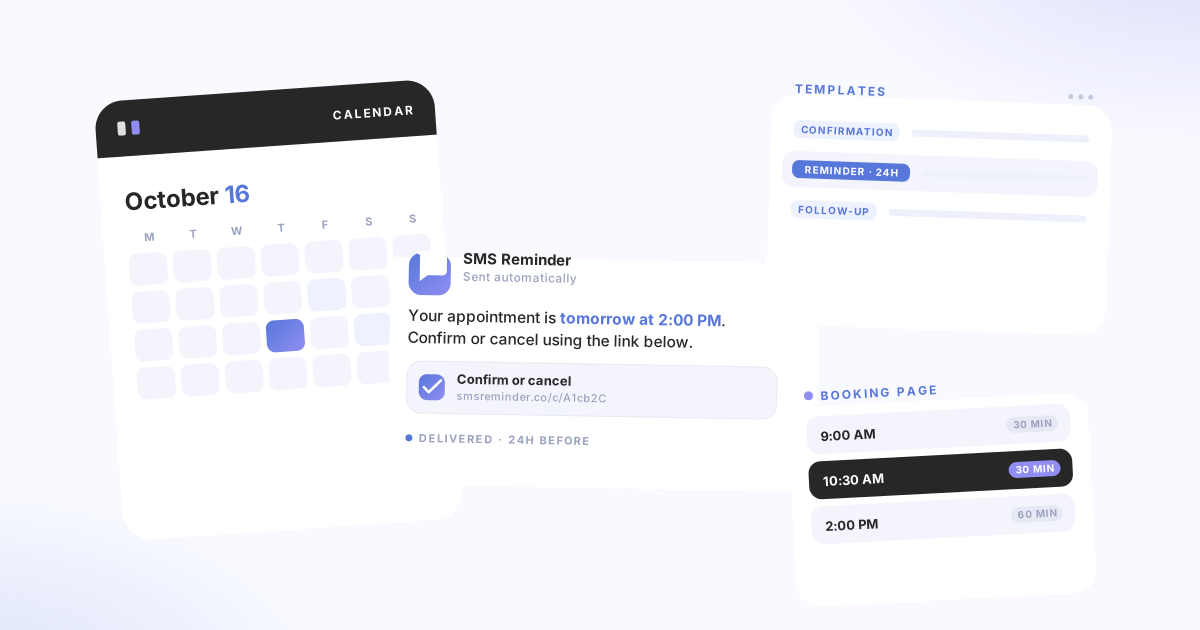
SMS Reminder product showing a calendar, SMS reminder message, templates panel, and booking page
SMS reminders

Automatically text clients before every appointment

Set up your message templates once. SMS Reminder sends confirmations, reminders, and follow-ups automatically based on your Google Calendar — no manual sending required.

  • Three message types — send a confirmation when an appointment is booked, a reminder before it starts, and a follow-up once it ends. Each type is optional and independently configurable.
  • Flexible timing — choose from preset timings (30 min, 1 hour, 24 hours) or set a custom number of days, hours, or minutes for any message.
  • Reminders that activate themselves — SMS Reminder finds the client's mobile in the calendar event and sets the reminder up for you, showing which number it chose and why. Undo any time before it sends. More on automatic activation.
  • Clients can reply or tap a link — every reminder can carry both, so clients confirm or cancel whichever way they prefer. More on two-way texting.
  • Dynamic fields — insert {date}, {time}, {location}, {title}, and more so every message includes the right appointment details.
9:41●●●● 5G
L
Lumi Wellness
+1 (555) 010-2049
Hi Sarah! Reminder: your appointment is tomorrow at 2:00pm with Lumi Wellness. To confirm or cancel: smsrmdr.app/c/a1b2c3
Yes, see you then
Two-way texting

Clients reply. SMS Reminder answers.

Most reminder apps talk at your clients. SMS Reminder talks with them. When your reminder arrives, clients can text back in their own words — and the app reads the reply, responds, and updates your calendar without you touching anything.

  • No keyword to remember — clients reply however they'd normally text. “Yes”, “OK”, “can't make it”, a thumbs-up. You don't need to write “Reply YES” into your templates.
  • Replies handled in six languages — automatic responses in English, French, Spanish, Italian, Portuguese, and German.
  • Your calendar updates itself — a confirmation turns the event green, a cancellation turns it red, and anything still unanswered stays yellow. Visible directly in Google Calendar.
  • Reschedules land on your booking page — if a client asks to move their appointment, SMS Reminder responds and sends them to pick a new time from your real availability, so the calendar stays accurate.
  • The link still works too — clients who'd rather tap than type can use the confirm or cancel link in the same message. Both are always available.
Online booking

Let clients self-book directly into your Google Calendar

Share a booking link, set your availability, and let clients pick a time that works. Every booking syncs straight to your Google Calendar.

  • Shareable booking page — send the link by email, add it to your website, or share it anywhere clients can access it.
  • Appointment types — create different types with different durations, rules, and reminder settings. Each type can link to a different Google Calendar.
  • Availability and buffers — set your open hours, add closed dates, and configure minimum notice periods and buffer time between appointments.
  • Automatic reminders for bookings — configure SMS reminders per appointment type so they activate for every new booking. Phone number is added to the calendar event after booking to activate reminders.
  • Add to your website — embed a booking button using the Shopify embed or the WordPress plugin.
Google Calendar

Works inside the calendar you already use

SMS Reminder connects to Google Calendar and stays out of your way. No new calendar to learn, no migration, no extra tools to manage.

  • Multiple calendars — connect more than one Google Calendar and link different reminder templates to each. Calendar limits vary by plan.
  • Calendar colour-coding — when appointment confirmations are enabled, your calendar events update automatically: confirmed turns green, cancelled turns red, pending stays yellow.
  • Template per calendar — different calendars can use different default message templates with no manual selection needed.
  • Works with any Google Workspace account — no paid Google Workspace subscription required. Sign in with your Google account and connect.
Calendar status
Sarah K. — Initial consult
Mon 10:00 AM
Confirmed
Marcus T. — Follow-up
Tue 2:00 PM
Pending
Priya N. — Review
Wed 11:30 AM
Cancelled
All features

Built for the way small businesses work

Message types

Confirmation messages
Sent when an appointment is booked or updated. Re-sent automatically if the date or time changes.
Reminder messages
Sent before the appointment starts. Set multiple reminders per appointment at different lead times.
Follow-up messages
Sent after the appointment ends. Useful for reviews, rebooking prompts, or post-appointment instructions.

Templates and timing

Multiple templates
Create different templates for different services, locations, or appointment types.
Per-calendar templates
Link a specific template to each Google Calendar so reminders apply automatically without manual selection.
Per-appointment overrides
Change the template or message for a specific appointment without affecting your defaults.
Custom timing
Choose from preset timings or set a custom number of days, hours, or minutes for any message type.

Automation and control

When a calendar event has one clear client mobile and you have approved automation, SMS Reminder activates the reminder itself — no opening the appointment.
Auto-activated badge
Every automatic activation shows which number was chosen and the reason, so you can check the app's reasoning rather than take it on trust.
Undo and activity feed
Undo any auto-activated reminder before it sends, and review every one of them in a single activity feed.
Corrections that stick
Use “Got it wrong” once and SMS Reminder forgets the old number and uses the corrected one from then on. Editing an event revalidates the number and reverts to asking you.

Confirmations and tracking

Clients can reply to their reminder to confirm, cancel, or ask to reschedule and the app responds automatically — or tap a link to confirm or cancel. Whichever they prefer.
Calendar colour-coding
Confirmed appointments turn green, cancelled turn red, pending stay yellow — visible directly in Google Calendar.
Dynamic message fields
Insert {date}, {time}, {location}, {title}, and more. Reminders populate with real appointment data automatically.
Usage calculator
The built-in calculator shows character count, segment usage, and estimated monthly reminder consumption as you type.
Four ways to use it

Use SMS Reminder however works for you

All four methods connect to the same account, templates, and settings.

📅
Google Calendar Add-on
Install from Google Workspace Marketplace and set reminders directly in your calendar sidebar. No tab-switching required.
🌐
Web App
Log in at smsreminder.co to manage reminders, templates, booking settings, and your account dashboard.
🔌
Chrome Extension
Install the Chrome extension to manage reminders inside Google Calendar on the web — works on desktop and mobile browsers.
#
#hashtag# format
Add a client's phone number between # symbols in any calendar app event. SMS Reminder detects it and sends the reminder automatically.
Also useful: Setup guide → · Explore guides → · See use cases →

Ready to reduce no-shows?

Start your free trial today. Connect your Google Calendar and send your first reminder in under 10 minutes.

Connect my calendar

Free trial included · Cancel any time