No more wasted trips to clients who forgot.
A free booking page and automated SMS reminders for landscapers, lawn care and pool pros, mobile cleaners, pet groomers and photographers who already use Google Calendar.
A missed visit costs you travel time, fuel, and a full booking slot.
- Clients forget and aren't home when you arrive
- Manual reminder texts take time away from the job
- Last-minute cancellations leave gaps in a packed day
- No record of whether clients confirmed or cancelled
Clients get a heads-up before you head out.
- Reminders sent automatically before each appointment, at the times you choose
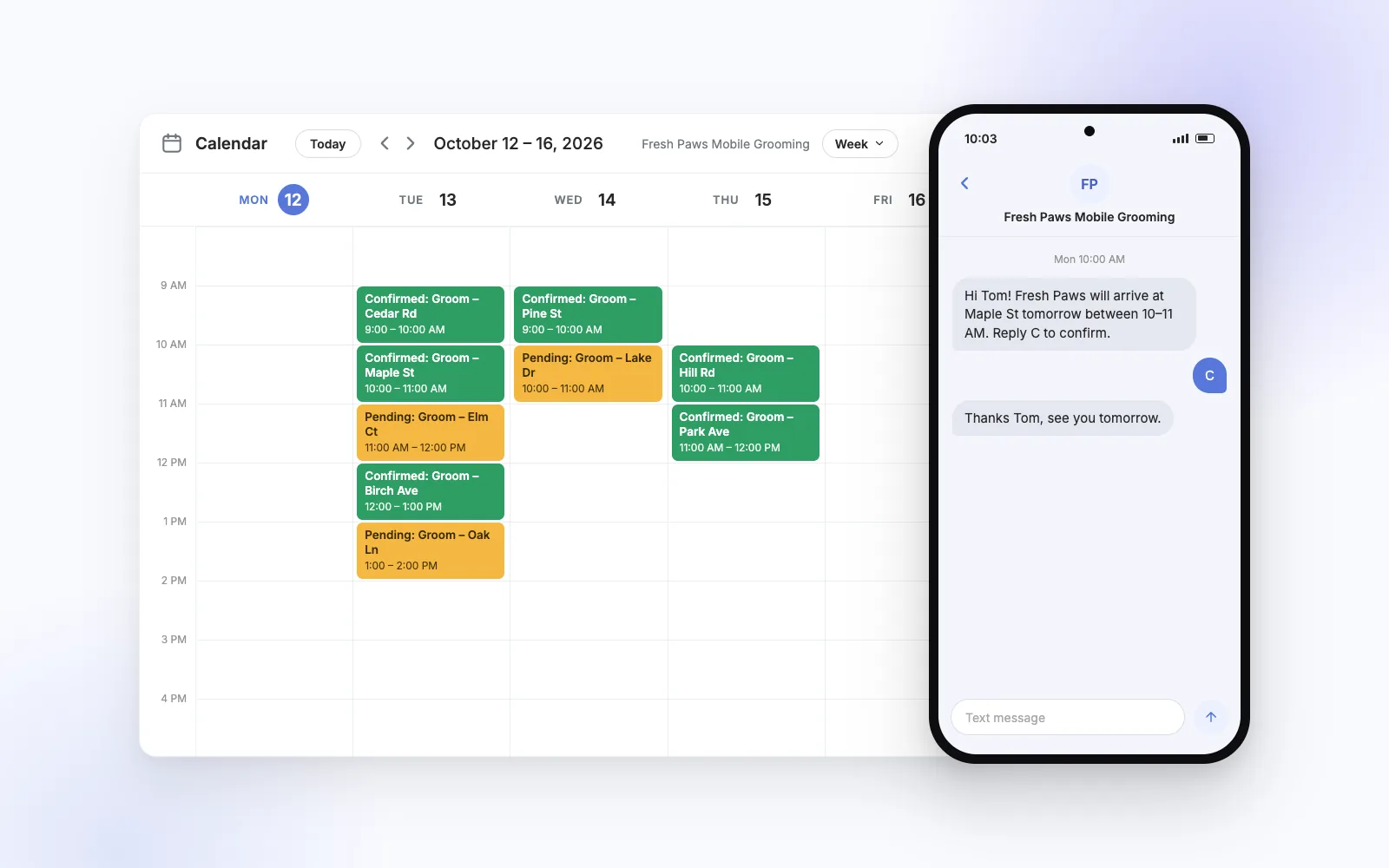
- Clients reply or tap the link to confirm or cancel; status updates in your dashboard
- Works with your existing Google Calendar; no new system to learn
- Set up once; reminders send automatically for every appointment
Who uses Kalama (formerly SMS Reminder) in this industry
How Kalama (formerly SMS Reminder) works
From install to your first reminder in under 10 minutes.
Connect your Google Calendar
Install the SMS Reminder add-on from the Google Workspace Marketplace. You approve calendar access with Google when you sign in; your events stay where they are.
Add a phone number to any appointment
Open an event in Google Calendar, open the Kalama (formerly SMS Reminder) sidebar, enter the client's phone number, and choose your reminder timing.
Reminders send automatically
Kalama (formerly SMS Reminder) sends confirmation and reminder messages at your configured lead times. No manual follow-up needed for each appointment.
Confirm before you drive over
Clients confirm their arrival window by text, so you head out knowing who is expecting you.
Accept new client bookings from your website
Kalama (formerly SMS Reminder) includes a booking page that connects directly to your Google Calendar. Share the link anywhere or let new clients book their first appointment online without needing to call or message you first.
Set the appointment type’s location to Customer’s address and clients enter where you’re going when they book, so the address is on the booking before you set off.
Point a “Book Now” button on your website at your booking link, use the WordPress plugin, or share the link directly with new clients. See how the booking page works →
Add the same link to your Google Business Profile, so people who find you on Google Search or Maps can book there and then. How to add a booking link to your Business Profile →
Ready for your busy season
Spring clean-ups, pool openings and the first snowfall all bring a rush of bookings at once. Set it up before the phones start ringing:
- One appointment type per job, with its own length and a buffer for travel between visits.
- Open your booking window as far ahead as you want clients to book, and set a minimum notice so no one books tomorrow morning tonight.
- A text reminder on every booking, so the client knows you’re coming and can reply to cancel in time for you to fill the slot.
Every visit confirmed before you leave the house.
Connect Kalama (formerly SMS Reminder) to Google Calendar in under 10 minutes and start reducing no-shows automatically.