On this page
Google Calendar does not send SMS reminders natively — a third-party tool is required for any text-based client communication. For how Kalama does it, see SMS reminders for Google Calendar.
Who wrote this: we make Kalama (formerly SMS Reminder), one of the seven tools below. To keep the comparison fair, every tool — ours included — gets the same treatment: what it does well, where it falls short, and who it suits. Every competitor detail comes from that company’s own website or help centre, linked in the sources at the end and checked on 16 October 2026.
Of the tools compared here, each serves a distinct primary use case. Kalama (formerly SMS Reminder) is built specifically for Google Calendar users who want automated SMS reminders — with two-way texting, so clients can reply to confirm, cancel, or ask to reschedule — without changing how they schedule. GoReminders suits businesses that want to manage appointments and reminders inside a single dedicated tool. GReminders is the strongest option for professional services firms that need CRM integration, compliance features, and a full meeting management workflow. Acuity Scheduling fits businesses that need a complete scheduling platform with intake forms and payments. Calendly is best evaluated as a meeting scheduling tool first, with reminders as a supporting feature. Apptoto suits teams that want multi-channel reminders across several calendars, and YouCanBookMe fits booking-first teams that want SMS reminders alongside a scheduling page.
If your appointments already live in Google Calendar, a tool that reads the calendar directly saves you entering them twice. If you’d rather run bookings, payments and reminders inside one system, a fuller scheduling platform may suit you better — the trade-offs are set out below.
How we compared
We looked at each tool on the same five questions:
- How it connects to Google Calendar — does it read the events you create, or do appointments need to live in its own system?
- SMS by plan — which plans include text reminders, and how they’re charged
- Client replies — can clients text back, and does anyone receive the reply?
- Booking — is there a client self-booking page?
- Price to start — free plan, free trial, or entry price
We compared published features and plans from each provider’s own pages; we didn’t run paid accounts of every tool. The Setup column is our judgment from that documentation, not a measured test.
Quick comparison of appointment reminder apps
| Tool | Google Calendar | SMS | Booking | Setup (our view) | Best for |
|---|---|---|---|---|---|
| Kalama (formerly SMS Reminder) | Native | Yes · two-way | Yes | Very easy | Small businesses, service providers |
| GoReminders | One-way (to Google) | Yes | Yes | Moderate | General reminder and booking needs |
| GReminders | Native | Yes | Yes | Moderate | Professional services, financial advisors |
| Acuity Scheduling | Two-way sync | Standard plan+ | Yes | Complex | Advanced scheduling workflows |
| Calendly | Conflict check + adds events | Paid plans | Yes | Easy | Meeting and client scheduling |
| Apptoto | Native (two-way) | Yes | Yes | Moderate | Multi-channel reminders (SMS, email, voice) |
| YouCanBookMe | Two-way sync | Paid plans, extra charge | Yes | Easy | Booking-first teams wanting SMS reminders |
In the SMS column, “two-way” means clients can reply to the text itself to confirm, cancel, or ask to reschedule — distinct from “two-way sync” in the Google Calendar column, which refers to calendar events syncing in both directions.
Kalama (formerly SMS Reminder)
This is our product.
Kalama (formerly SMS Reminder) is purpose-built for Google Calendar users who want automated SMS reminders without adopting a new scheduling platform.
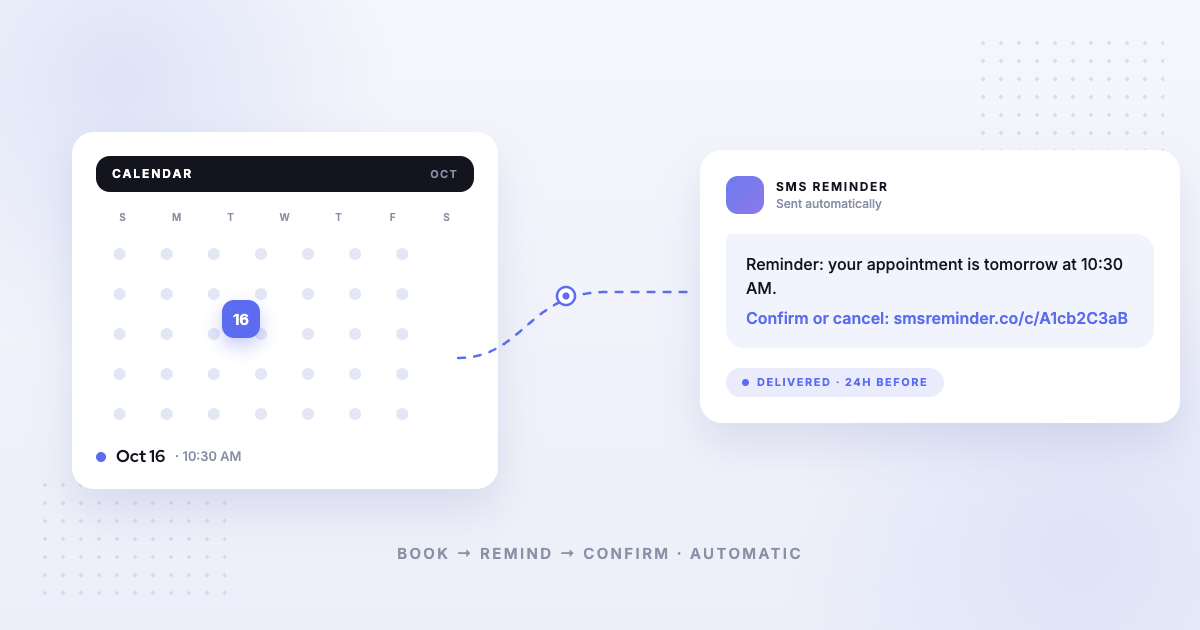
It connects to your existing Google Calendar via OAuth, detects upcoming events automatically, and sends reminders at your configured lead times. Clients can reply to those texts to confirm, cancel, or ask to reschedule — two-way texting the app handles automatically — or tap a confirmation link. There is no new system to learn and no calendar migration required.
Strengths:
- Native Google Calendar integration, with events detected automatically
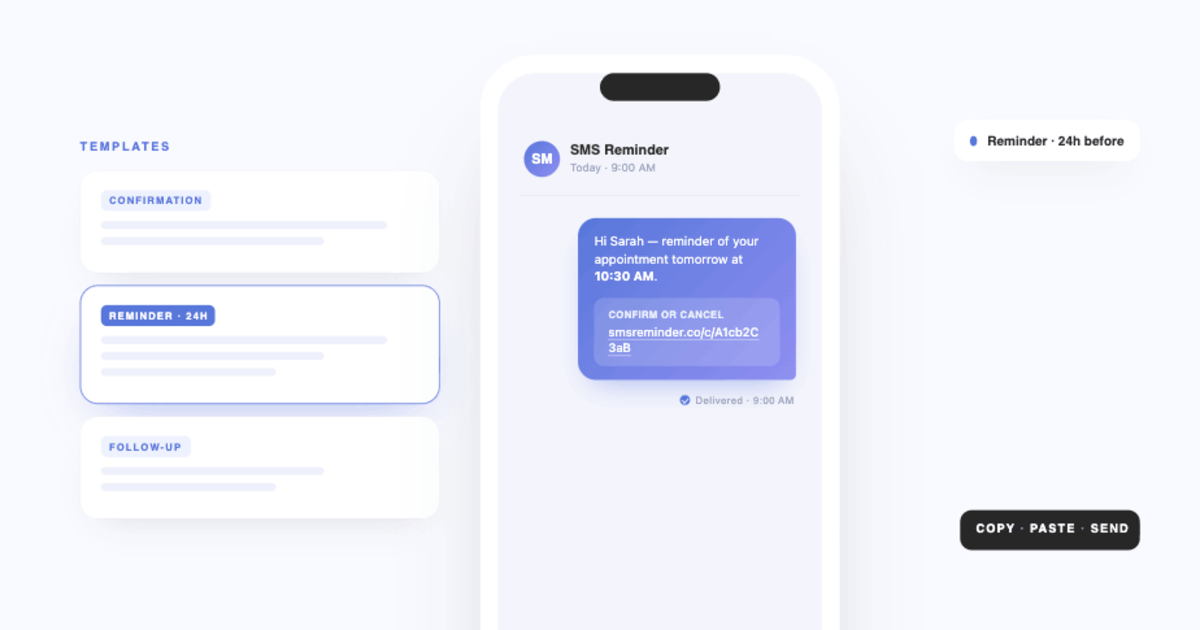
- Automated SMS reminders with customisable message templates
- Confirmation links in each message so clients can confirm or cancel with a tap
- Two-way texting — clients can also just reply (“Yes”, “Can we do Friday?”) to confirm, cancel, or ask to reschedule, and the app responds automatically in six languages
- Built-in booking page for client self-scheduling
- Free plan with no credit card required — booking page, 1 user and 25 SMS reminders as a one-time allowance; paid plans add monthly reminder allowances from $19/month
Limitations:
- The free plan’s 25 reminders are one-time, not monthly — ongoing text reminders need a paid plan
- Two-way replies handle confirmations, cancellations and reschedule requests; it doesn’t answer general client questions — those are passed to you by email21
- A reschedule finishes on the confirmation or booking page, not by text reply alone22
- The booking page runs on one weekly availability schedule,23 and clients can’t book recurring appointments from it24 (recurring events you create in Google Calendar still get reminders25)
- It isn’t a CRM, and its Google Calendar booking page doesn’t take client payments or deposits
- It isn’t HIPAA compliant — see the FAQ below
Best for: Small businesses, solo practitioners, clinics, salons, therapists, field and mobile service providers who want to reduce no-shows quickly using their existing Google Calendar.
See exactly how it works in our guide to sending Google Calendar events to SMS, or compare plans and pricing.
Try Kalama (formerly SMS Reminder) on your own calendar. Setup takes about 10 minutes, and you can test it with 25 free reminders. Connect my calendar →
GoReminders
GoReminders is an SMS reminder and booking tool designed for small to medium-sized businesses. It includes both automated reminders and a client-facing booking page with instant book and appointment request modes.
Strengths:
- SMS and email reminders with customisable templates1
- Online booking page, where clients can self-book or request appointment times for approval2
- Accepts deposits and payments through the platform3
- Supports group appointments (up to 100 people) and multiple staff members that clients can choose when booking2,4
Limitations:
- Google Calendar sync is one-way: appointments made in GoReminders appear in Google Calendar, but GoReminders doesn’t pull information from external calendars5 — so it works best when GoReminders, not Google Calendar, is where you create appointments
- 14-day free trial, no credit card required; no free plan listed6
Best for: Businesses that want an all-in-one reminder and booking tool and are willing to manage appointments primarily within GoReminders rather than Google Calendar.
GReminders
GReminders is a full meeting management platform with native Google Calendar and Outlook integration. It handles automated SMS, email, and voice reminders, online booking, and CRM workflows. It positions itself mainly for financial advisors, and also for accountants, attorneys, therapists and sales professionals.7
Strengths:
- Two-way Google Calendar sync, plus Outlook / Microsoft 365 integration8
- SMS, email, and voice call reminders7
- Booking page with client self-scheduling7
- CRM integrations (Salesforce, HubSpot, Redtail, and others)8
- HIPAA and FINRA compliant, with BAAs offered9
- AI notetaking, with AI meeting summaries included from the Essentials plan9
Limitations:
- More feature-rich than most small businesses need for basic reminder use
- Setup is more involved than lightweight tools
- Plans start at $69/month (Essentials); no free plan listed9
Best for: Financial advisors, professional services firms, and teams that need deep CRM integration and compliance features alongside reminders.
Acuity Scheduling
Acuity Scheduling (a Squarespace company) is a full scheduling platform with built-in client booking, intake forms, payment processing, and automated reminders. It syncs two-ways with Google Calendar, meaning bookings made in Acuity appear in Google Calendar and vice versa.11
Strengths:
- Robust client-facing booking experience with intake forms and payments10
- Two-way Google Calendar sync
- Email reminders on all plans; SMS reminders on Standard plan and above10
- Suitable for businesses with complex service menus or multi-staff calendars
Limitations:
- SMS reminders are not available on the entry-level Starter plan ($16/month annual, $20/month monthly)10
- 7-day free trial, no credit card needed (14 days if attached to a Squarespace site); no free plan listed10,12
- Acuity functions as its own scheduling system; if you want to continue managing appointments in Google Calendar, it adds workflow complexity
Best for: Service businesses that need a full scheduling and client management platform and do not mind replacing Google Calendar as their primary scheduling interface.
Calendly
Calendly is a meeting scheduling platform with automated email and SMS reminders. Text reminders are available on its paid plans through Calendly’s Workflows feature, but not on the free plan or during the free trial. Messages are sent from random US toll-free numbers, and replies aren’t delivered or monitored.13
Strengths:
- Polished, widely recognised booking experience for clients
- Free plan available (one event type)16
- SMS and email reminders included on paid plans (no add-on required)13
- Checks Google Calendar for conflicts and adds booked meetings to it15
- 250 SMS credits per seat per month on non-Enterprise plans (1,000 on Enterprise)14
Limitations:
- SMS not available during the free trial or on the free plan13
- Messages sent from random toll-free numbers, not a consistent business number13
- Client replies to SMS reminders are not delivered or monitored13
- Primarily designed for meeting scheduling, not appointment-based no-show reduction
Best for: Professionals and teams whose primary need is client-facing meeting scheduling and who want reminders as a secondary feature.
Apptoto
Apptoto is an appointment reminder platform with native, two-way Google Calendar integration. It reads events directly from your calendar and sends automated SMS, email, and voice reminders across one or more calendars.17,18
Strengths:
- Native two-way Google Calendar sync
- SMS, email, and voice reminders in one platform
- Customisable message templates and multi-calendar support
- Reporting and reminder tracking
Limitations:
- A fuller reminder platform than a single-purpose SMS tool, so there is more to configure at setup
- Pricing scales with users, calendars and monthly message credits (from $30/month)18
Best for: Businesses that want multi-channel reminders — text, email, and voice — across several calendars.
YouCanBookMe
YouCanBookMe is a scheduling and booking tool that syncs two-ways with Google Calendar.19 Reminder emails and SMS come with its paid plans (Individual and up), and texts are an extra charge on every plan.20 Its core strength is a customisable client-facing booking page.
Strengths:
- Two-way Google Calendar sync19
- Customisable client booking pages; free-forever plan available, with YouCanBookMe branding20
- SMS reminders on paid plans, with sending from a dedicated business line on Professional and Team20
Limitations:
- Primarily a booking and scheduling tool; SMS reminders are a supporting feature rather than the core focus
- Reminder emails and SMS aren’t included on the free plan, and texts are charged on top of the plan price20
Best for: Teams whose main need is a client booking page, with SMS reminders (charged per text) alongside it.
Which tool is right for you?
- Choose Kalama (formerly SMS Reminder) if you manage appointments in Google Calendar and want the simplest path to automated SMS reminders without changing your workflow
- Choose GoReminders if you want a combined reminder and booking tool and are comfortable managing appointments inside GoReminders rather than Google Calendar
- Choose GReminders if you need deep CRM integration, compliance features, or an end-to-end meeting management platform for professional services
- Choose Acuity Scheduling if you need a full scheduling platform with intake forms, payments, and multi-staff support
- Choose Calendly if meeting scheduling is your primary need and reminders are secondary
- Choose Apptoto if you want multi-channel reminders — SMS, email, and voice — across several calendars
- Choose YouCanBookMe if a client booking page is your main need and you want SMS reminders alongside it
Looking at booking as well as reminders? See appointment scheduling software with Google Calendar integration.
What to look for in an appointment reminder app
The most important factor is how deeply the tool integrates with your existing calendar. There is a meaningful difference between native integration, where the tool reads directly from your calendar and triggers reminders automatically, and outbound sync, where the tool pushes data to your calendar but does not read from it.
Beyond integration depth:
- Automated reminders that fire without manual action for every new event
- Customisable message templates with dynamic fields (name, date, time, location)
- Confirmation support, so clients can confirm or cancel before the appointment — ideally by simply replying to the text (two-way), not only by tapping a link or calling back
- Setup time that matches your technical comfort level
- Pricing that scales reasonably with your appointment volume
If you are weighing full platforms rather than Google Calendar tools specifically, our buyer’s guide to appointment reminder software sorts the options by business type instead.
Feature, plan, and pricing details for the tools compared here can change — verify on each provider’s own site for the most up-to-date information before deciding.
Sources
Details about other products can change. Each competitor detail below was verified on that company’s own website or help centre on 16 October 2026 — confirm current information there before deciding. Kalama (formerly SMS Reminder) details come from our help centre.
- GoReminders — Homepage, https://www.goreminders.com/, accessed 2026-10-16.
- GoReminders — “Can customers book their own appointments?”, https://www.goreminders.com/help/can-customers-book-their-own-appointments, accessed 2026-10-16.
- GoReminders — “How to collect payments for appointments booked through the booking form?”, GoReminders Help Center, https://intercom.help/goreminders/en/articles/9287271-how-to-collect-payments-for-appointments-booked-through-the-booking-form, accessed 2026-10-16.
- GoReminders — “Can I add multiple people to an appointment?”, https://www.goreminders.com/help/can-i-add-multiple-people-to-an-appointment, accessed 2026-10-16.
- GoReminders — “Can I see appointments in my calendar?”, https://www.goreminders.com/help/can-i-see-appointments-in-my-calendar, accessed 2026-10-16.
- GoReminders — Common questions, https://goreminders.com/help/common-questions, accessed 2026-10-16.
- GReminders — Homepage, https://greminders.com/, accessed 2026-10-16.
- GReminders — Integrations, https://greminders.com/integrations/, accessed 2026-10-16.
- GReminders — Pricing, https://greminders.com/pricing/, accessed 2026-10-16.
- Acuity Scheduling — Pricing, https://acuityscheduling.com/pricing, accessed 2026-10-16.
- Acuity Scheduling — “Setting up Google Calendar syncing,” Acuity Scheduling Help Center, https://help.acuityscheduling.com/hc/articles/31542203331341, accessed 2026-10-16.
- Acuity Scheduling — “Starting an Acuity Scheduling trial,” Acuity Scheduling Help Center, https://help.acuityscheduling.com/hc/articles/16676862300813, accessed 2026-10-16.
- Calendly — “How to send text messages with Workflows,” Calendly Help, https://calendly.com/help/how-to-send-text-messages-with-workflows, accessed 2026-10-16.
- Calendly — “SMS credit limits,” Calendly Help, https://calendly.com/help/sms-credit-limits, accessed 2026-10-16.
- Calendly — “How to connect your Google Calendar,” Calendly Help, https://calendly.com/help/how-to-connect-your-google-calendar, accessed 2026-10-16.
- Calendly — Pricing, https://calendly.com/pricing, accessed 2026-10-16.
- Apptoto — Homepage, https://www.apptoto.com/, accessed 2026-10-16.
- Apptoto — Pricing, https://www.apptoto.com/pricing, accessed 2026-10-16.
- YouCanBookMe — Google Calendar integration, https://youcanbook.me/integrations/google-calendar, accessed 2026-10-16.
- YouCanBookMe — Pricing (feature table: “Reminder emails & SMS”, “Customize SMS notifications”), https://youcanbook.me/pricing, accessed 2026-10-16.
- Kalama (formerly SMS Reminder) Help — Two-way texting: can my clients reply to reminders?.
- Kalama (formerly SMS Reminder) Help — Allow clients to reschedule appointments.
- Kalama (formerly SMS Reminder) Help — Customizing your availability.
- Kalama (formerly SMS Reminder) Help — Create unlimited appointment types for your booking page.
- Kalama (formerly SMS Reminder) Help — Turn on automatic reminder activation.
Frequently asked questions
Compare SMS reminder services that integrate directly with Google Calendar
Compare them on five things: whether they read your Google Calendar directly or need appointments in their own system, whether they remind clients about events you add yourself, whether clients can reply, how many calendars and users each plan covers, and the price per reminder. Kalama (formerly SMS Reminder) reads your existing Google Calendar, texts clients from the events you create, supports two-way replies, and starts at $19/month for 50 reminders.
Does Google Calendar send SMS reminders to clients?
No. Google Calendar can notify you via email or push notification, but it cannot send text messages to clients. A third-party tool is required to add SMS reminders to Google Calendar.
How quickly can I start sending reminders with Kalama (formerly SMS Reminder)?
Most users complete setup in under 10 minutes. You connect your Google Calendar via OAuth, set your message template and reminder timing once, and Kalama (formerly SMS Reminder) sends automatically for all upcoming events from that point forward.
Does Kalama (formerly SMS Reminder) have a free plan?
Yes. The free plan includes a booking page on your primary calendar, 1 user, and a 25-reminder allowance. The 25 reminders are one-time rather than monthly — once they’re used, the booking page keeps working and reminders stop until you upgrade. So it’s a permanent free plan for booking, not an ongoing free tier for SMS.
Does GoReminders have a free option?
GoReminders offers a 14-day free trial with no credit card required. Its help pages don’t list a free plan.
How is Kalama (formerly SMS Reminder) different from GReminders?
Both integrate with Google Calendar. GReminders is a fuller platform; it includes CRM integrations, voice reminders, AI notetaking, and HIPAA and FINRA compliance features suited to professional services firms. Kalama (formerly SMS Reminder) is more focused: it adds SMS reminders and a booking page to your existing Google Calendar with minimal setup, and does not require a broader workflow change.
How is Kalama (formerly SMS Reminder) different from GoReminders?
The key difference is how each tool relates to Google Calendar. Kalama (formerly SMS Reminder) reads directly from your Google Calendar and triggers reminders from events you create there. GoReminders’ Google Calendar sync is one-way: appointments made in GoReminders appear in Google Calendar, but GoReminders doesn’t pull information from external calendars. If Google Calendar is your primary scheduling tool, Kalama (formerly SMS Reminder) fits that workflow more directly.
Can clients reply to Kalama’s texts?
Yes. With two-way texting, clients can reply in plain language — “Yes”, “OK”, or “Can we move to Friday?” — to confirm, cancel, or ask to reschedule, and Kalama (formerly SMS Reminder) responds automatically (in English, French, Spanish, Italian, Portuguese, and German). They can also confirm or cancel by tapping the link in the message. When comparing tools, it’s worth checking whether clients can reply at all, or only receive one-way texts.
What happens if a client does not respond to a confirmation link?
A non-response leaves the appointment status as ‘Pending’ on your calendar. Kalama (formerly SMS Reminder) does not automatically cancel unconfirmed appointments. You can schedule more than one reminder per appointment (for example, 24 hours and 2 hours before), and confirming or cancelling is one reply or tap.
Is Kalama (formerly SMS Reminder) HIPAA compliant?
Kalama (formerly SMS Reminder) is not currently HIPAA compliant. Businesses that are subject to HIPAA or similar privacy regulations should avoid including protected health information in SMS reminders and should assess their compliance requirements before using SMS for appointment communication.